
Introduction
The VariableEngine in this document belongs to the Design of FlowGram, which is different from the VariableEngine in the Runtime.
Reading Path
- Build a mental model for “what a variable is” and “why the variable engine matters” here first.
- Then get hands-on: Output Variables → Consume Variables so you learn to produce variables before reading them.
- When questions about scope or types pop up during practice, return to Core Concepts for detailed terminology.
What is a Variable?
Imagine you're building a complex Lego model where each module needs to connect precisely. In the world of Workflows, variables play a similar role as "connectors." They are the "messengers" used to pass information between different nodes.
Simply put, a variable is a named container where you can store various things, such as user input, calculation results, or data retrieved from somewhere.
A variable typically consists of three parts:
- Name (Unique Identifier): Similar to a personal name, it lets you pinpoint a specific variable. For example,
userName,orderId. - Value: The content inside the container. It can be a number
123, text"Hello FlowGram!", or a switch statetrue/false. - Type: Specifies what kind of things this container can hold. For instance, some can only hold numbers, while others can only hold text.
For example, in an "Intelligent Q&A" flow:
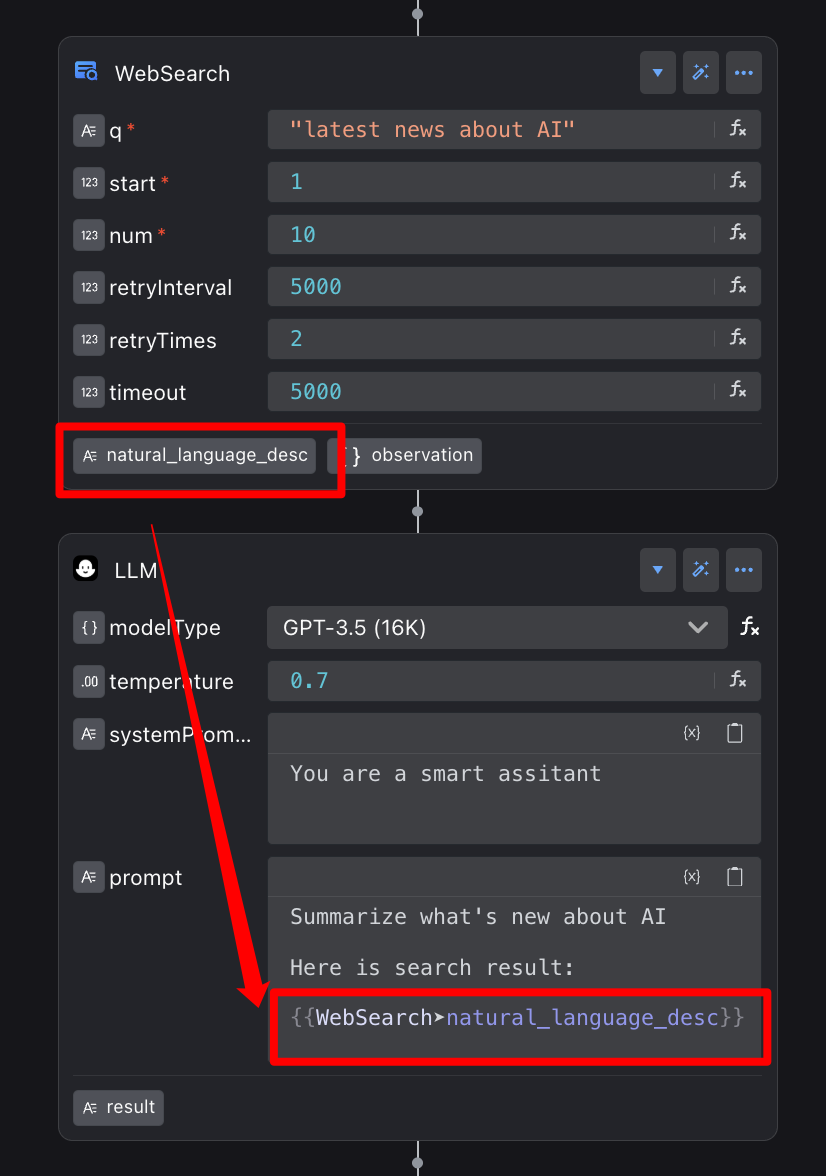
1. WebSearch Node: Responsible for searching the web and putting the found knowledge (e.g., the answer to "What's the weather like today?") into a variable named natural_language_desc.
2. LLM Node: It takes the natural_language_desc "messenger," reads its content, and then answers the user in a more natural and friendly way.
3. In this process, the type of natural_language_desc is "string" because it contains text content.
Design-Time Definition vs. Runtime Evaluation
In design time (while drawing the flow), you only need to determine the definition of a variable: its name, type, and optional metadata. The variable engine manages these definitions as structured data.
When entering runtime, FlowGram assigns values to each execution based on those definitions. Focus on structure and constraints during design; at runtime every node can rely on the same definitions to read and write data reliably.
Why Do You Need a Variable Engine?
As the complexity of workflows increases, so do the number and management difficulty of variables.
To address this challenge, FlowGram provides a powerful Variable Engine.
It acts like a professional "data steward," systematically managing all variables to ensure the clarity and stability of the data flow.
Enabling the Variable Engine will bring you the following core advantages:
The variable engine precisely controls the effective range (scope) of each variable. Like giving every room its own key, it keeps variables accessible only to the intended nodes, preventing data pollution and surprise logic errors.
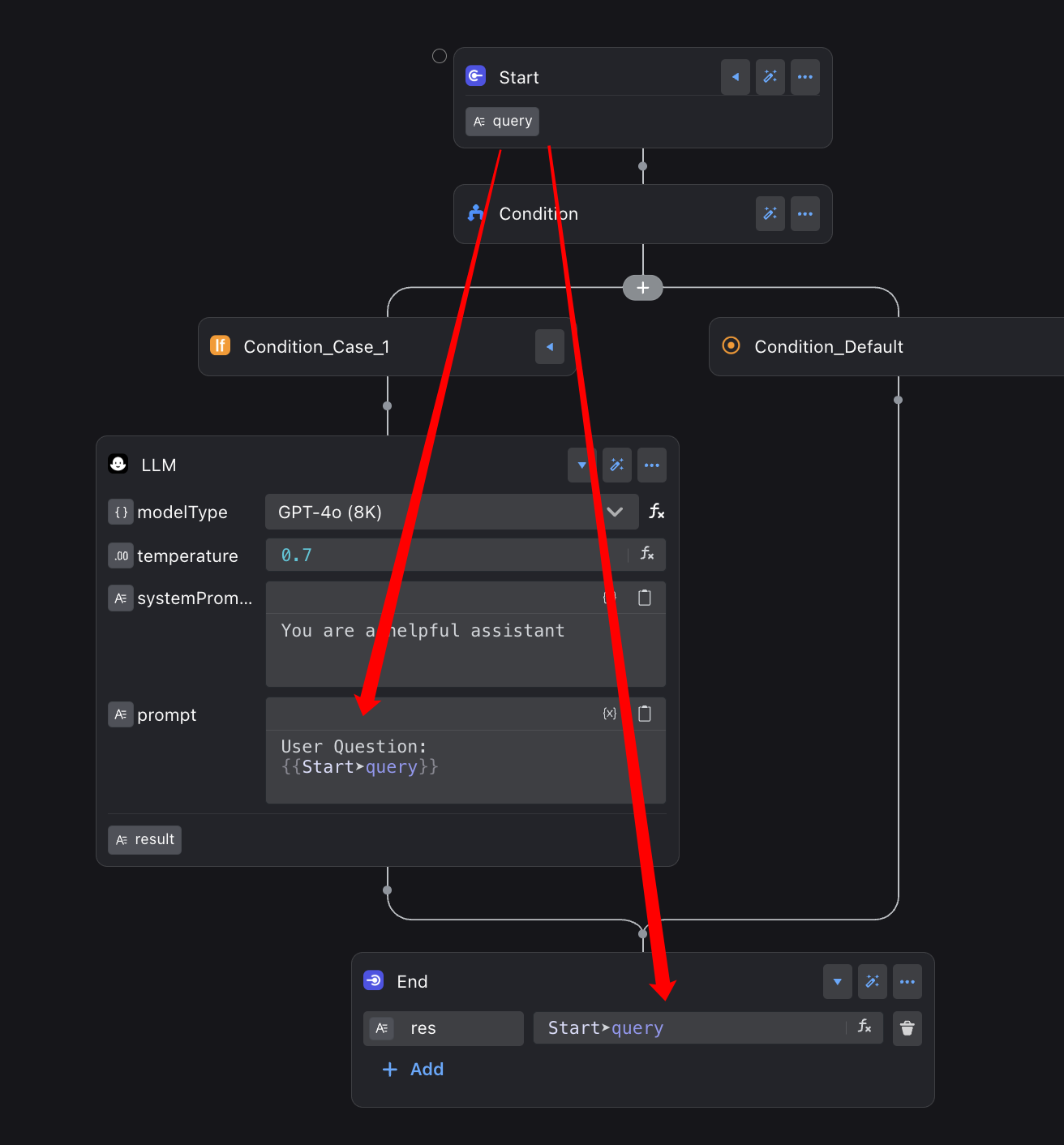
The query variable defined in the Start node can be easily accessed by the subsequent LLM and End nodes.
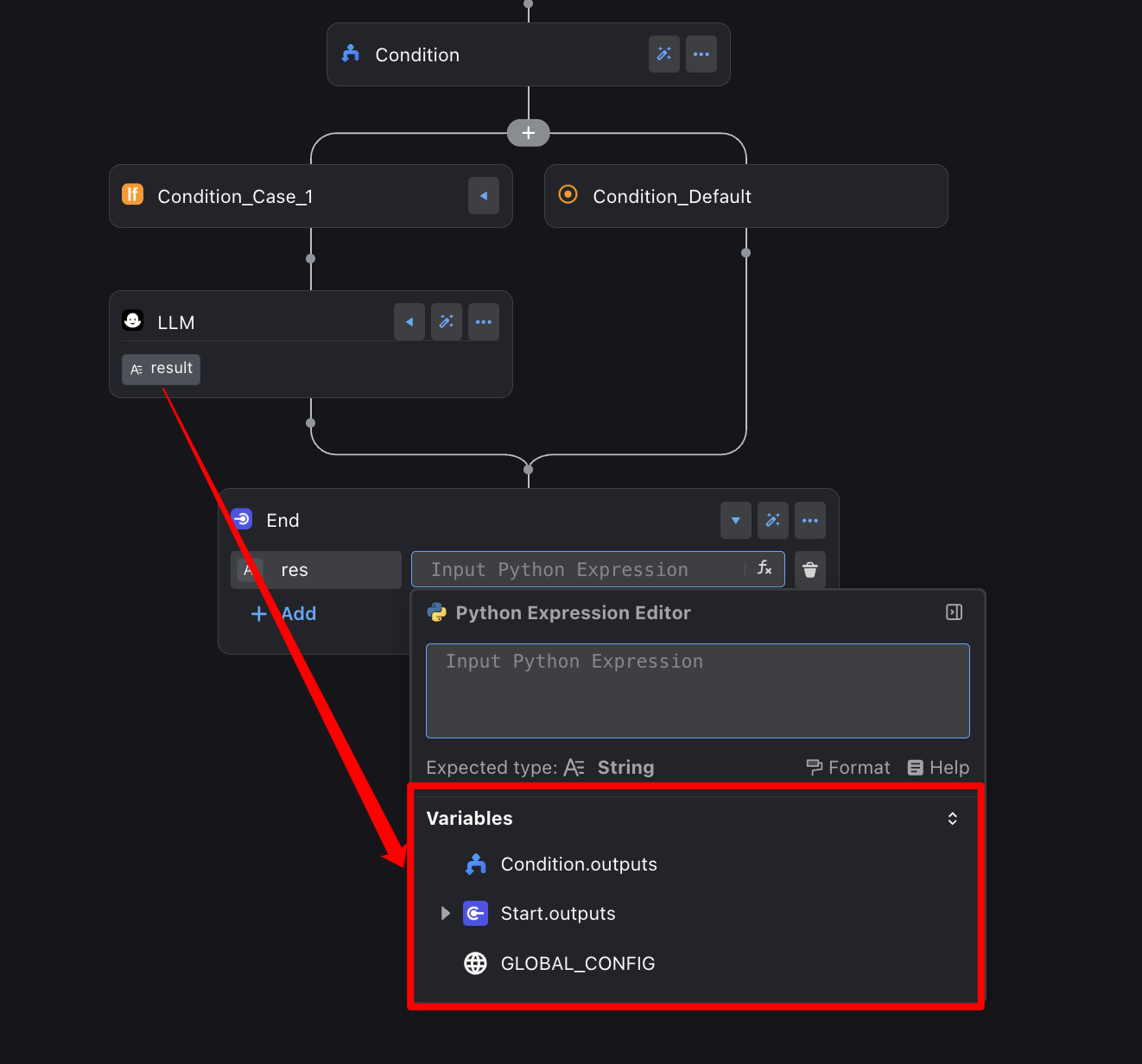
The LLM node lives inside a Condition branch—effectively a separate room—so the End node outside cannot access its result variable.
When a variable has a complex structure (for example, a deeply nested object), the variable engine lets you expand it layer by layer so every piece of data stays easy to locate.
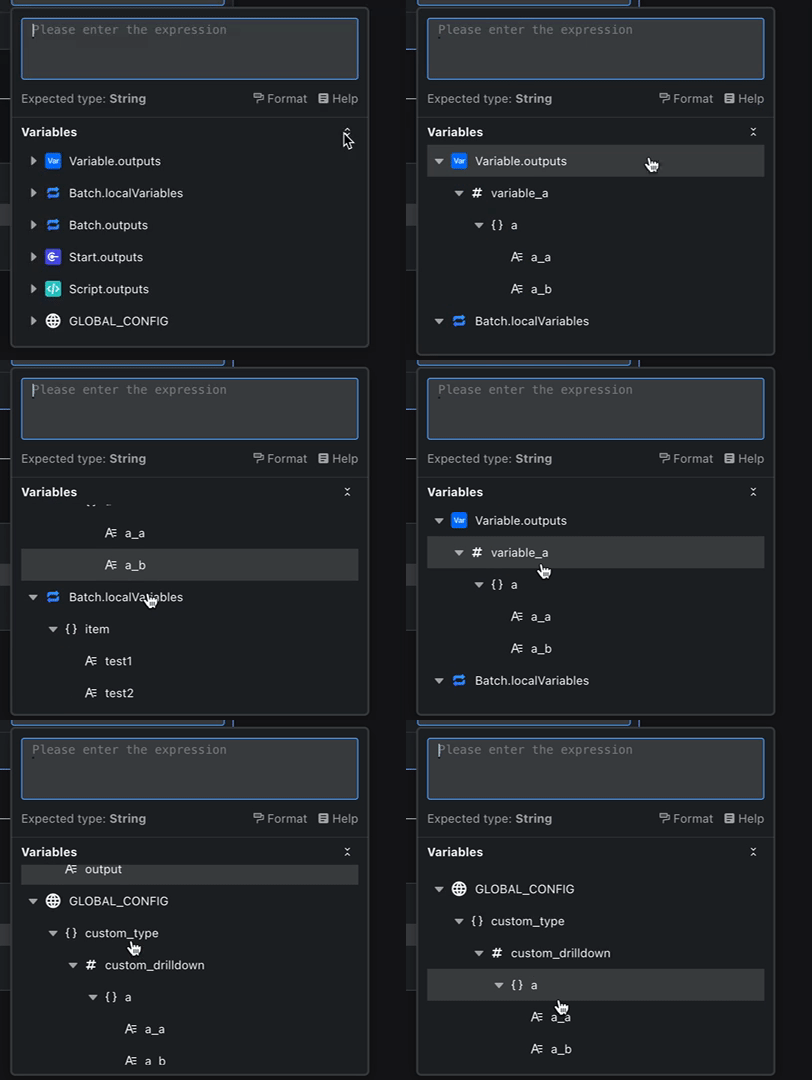
You can review every node’s output variables and their hierarchy at a glance, almost like inspecting a well-organized tree.
No need to declare every variable type by hand. The variable engine infers types from context automatically.
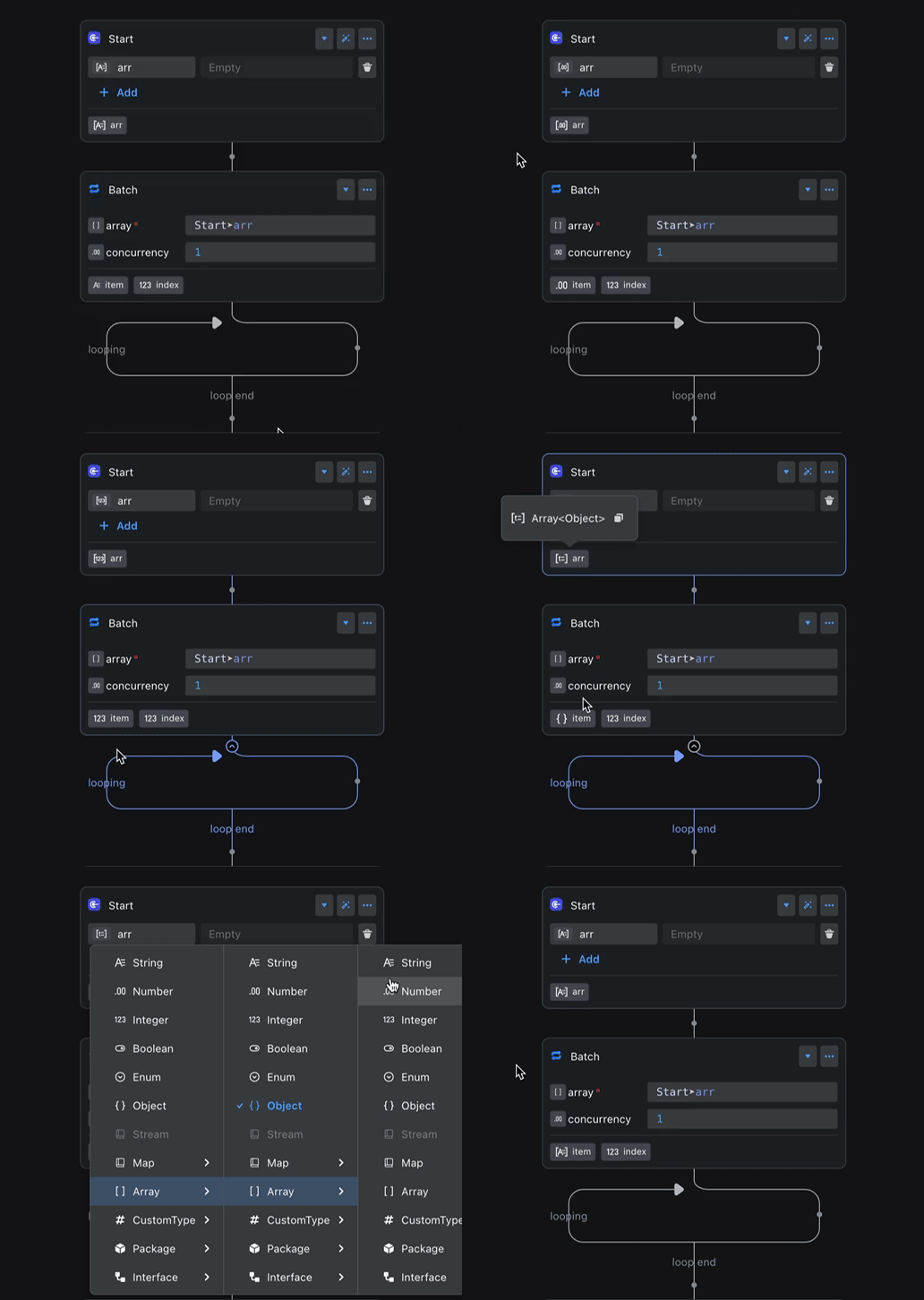
For example, if the Start node’s arr variable changes type, the Batch node’s item output updates automatically to stay aligned.
Get the read/write flow working first; when you need a deeper understanding of scope chains, ASTs, declarations, or expressions, go back to Core Concepts.
How to Enable the Variable Engine?
You can enable the Variable Engine with a simple configuration to experience its powerful features.
What to Read Next (Suggested Order)
- Output Variables: Learn how to produce variables in nodes, plugins, and global scope.
- Consume Variables: Then master how to read variables safely in nodes and UI.
- Variable Concepts: Finally, revisit scope, AST, declarations, types, and other core terms.