
Ports
- WorkflowNodePortsData manages all port information for nodes
- WorkflowPortEntity port instance
- WorkflowPortRender port rendering component
Define Ports
Add defaultPorts to node declaration, such as { type: 'input', location: 'left' }, which will add an input port on the left side of the node
node-registries.ts
Dynamic Ports
Add useDynamicPort to node declaration, when set to true it will look for DOM elements with data-port-id and data-port-type attributes on the node DOM as ports
node-registries.ts
Vertical Ports
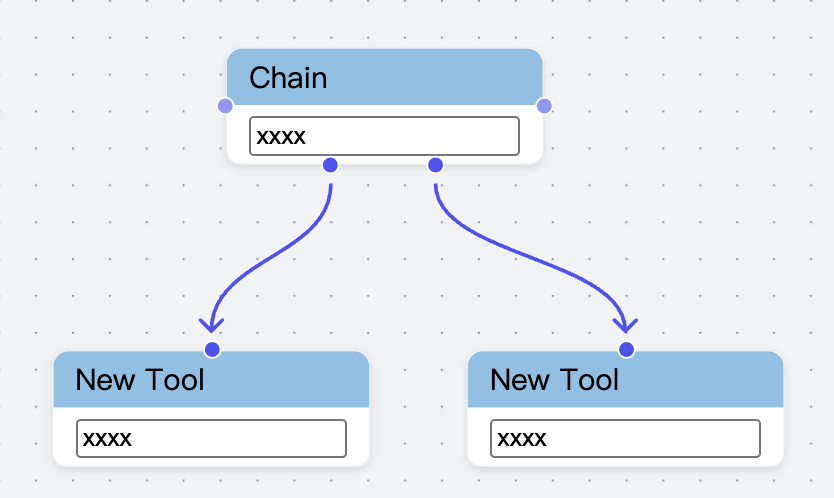
Update Ports Data
- Static Ports Update
- Dynamic Ports Update
Update Ports Data Via Form Values Changed
Below, the condition node listens to portKeys data and updates ports data via Form Effect, details see Demo
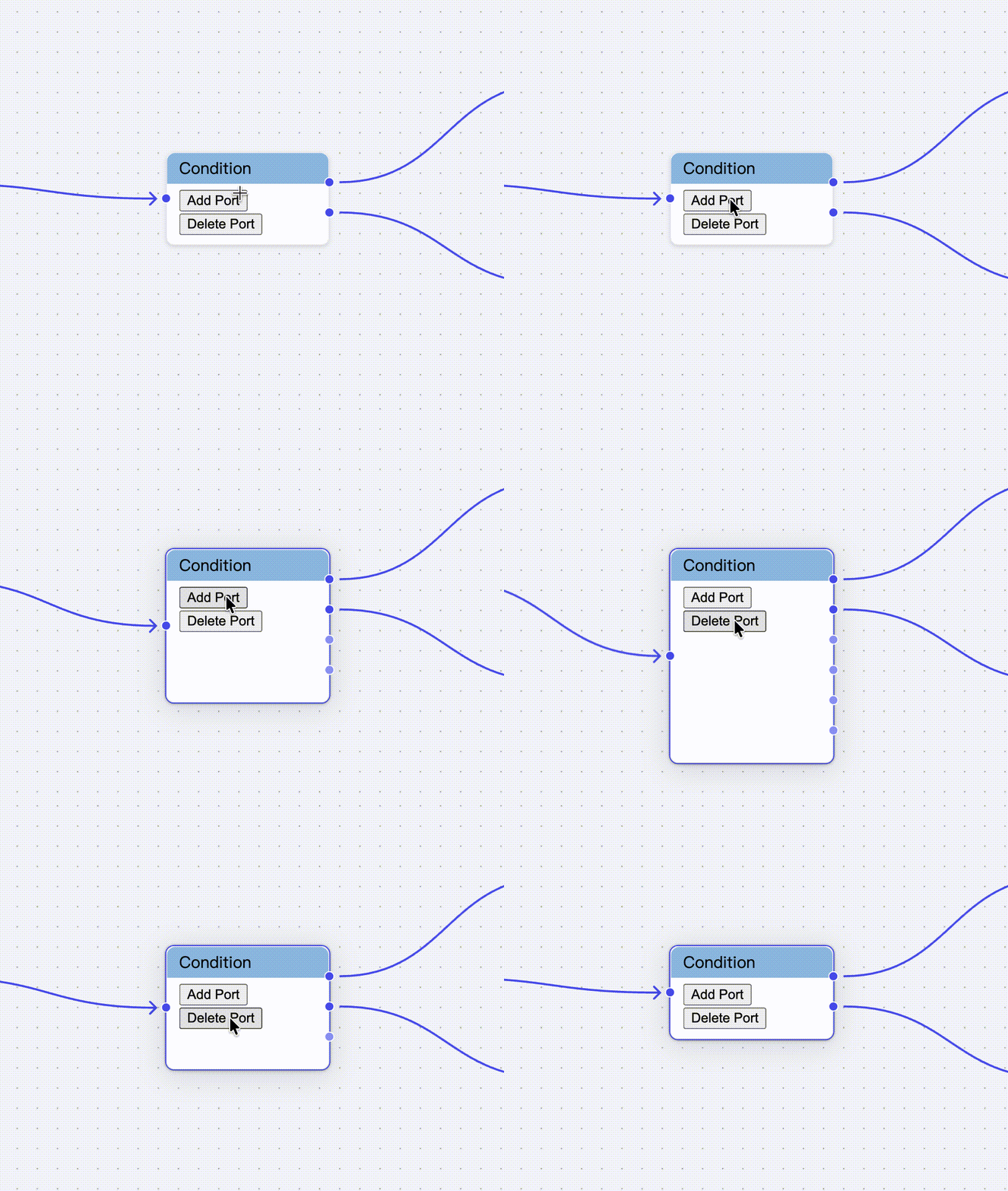
node-registries.ts
Port Rendering
Ports are ultimately rendered through the WorkflowPortRender component, supporting custom styles, or you can reimplement this component based on the source code. Refer to Free Layout Best Practices - Node Rendering
Custom Port Colors
You can customize port colors by passing color props to WorkflowPortRender:
primaryColor- Active state color (linked/hovered)secondaryColor- Default state colorerrorColor- Error state colorbackgroundColor- Background color
Get Ports Data
Two-way Port Connection
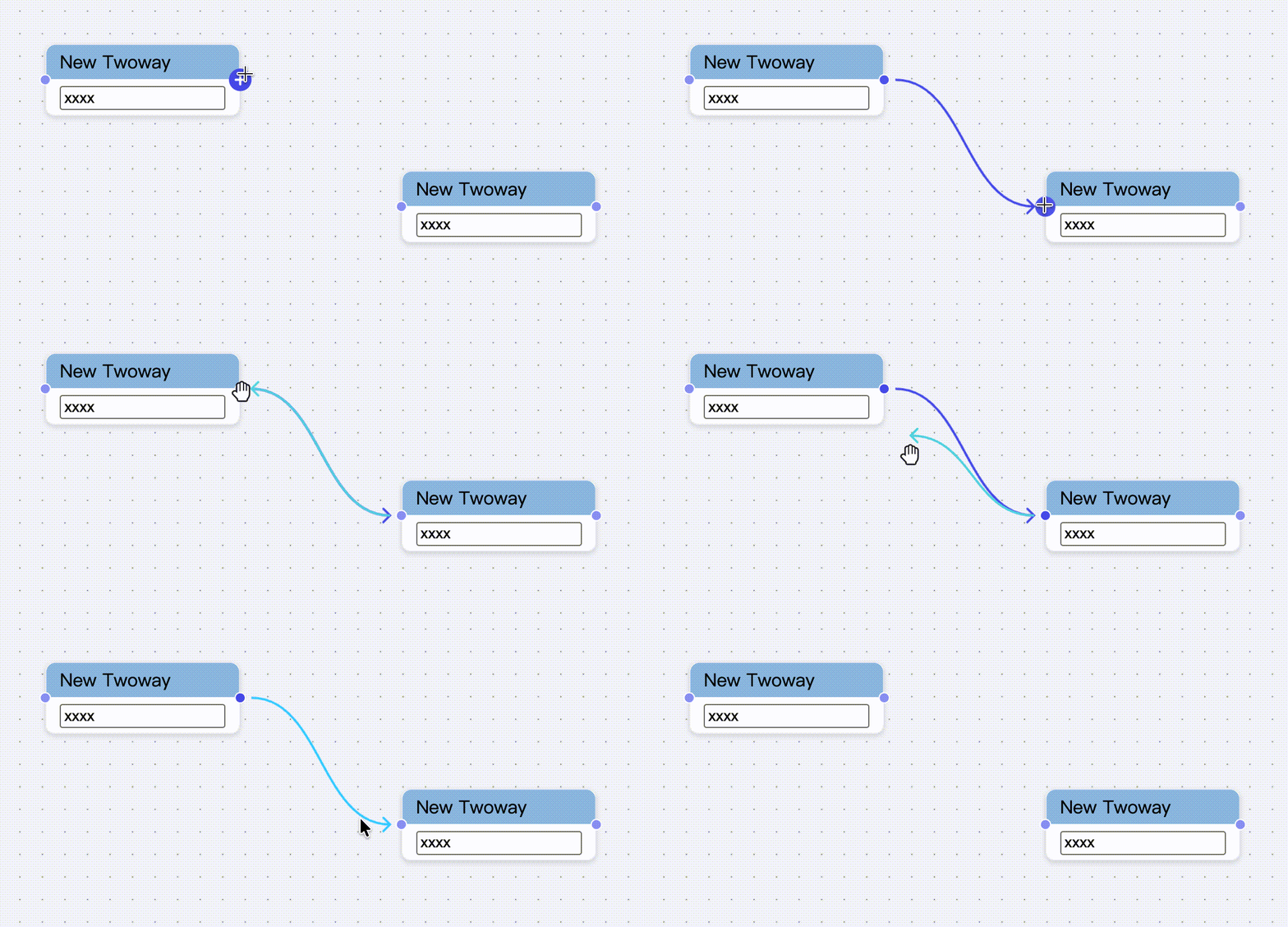
node-registries.ts